
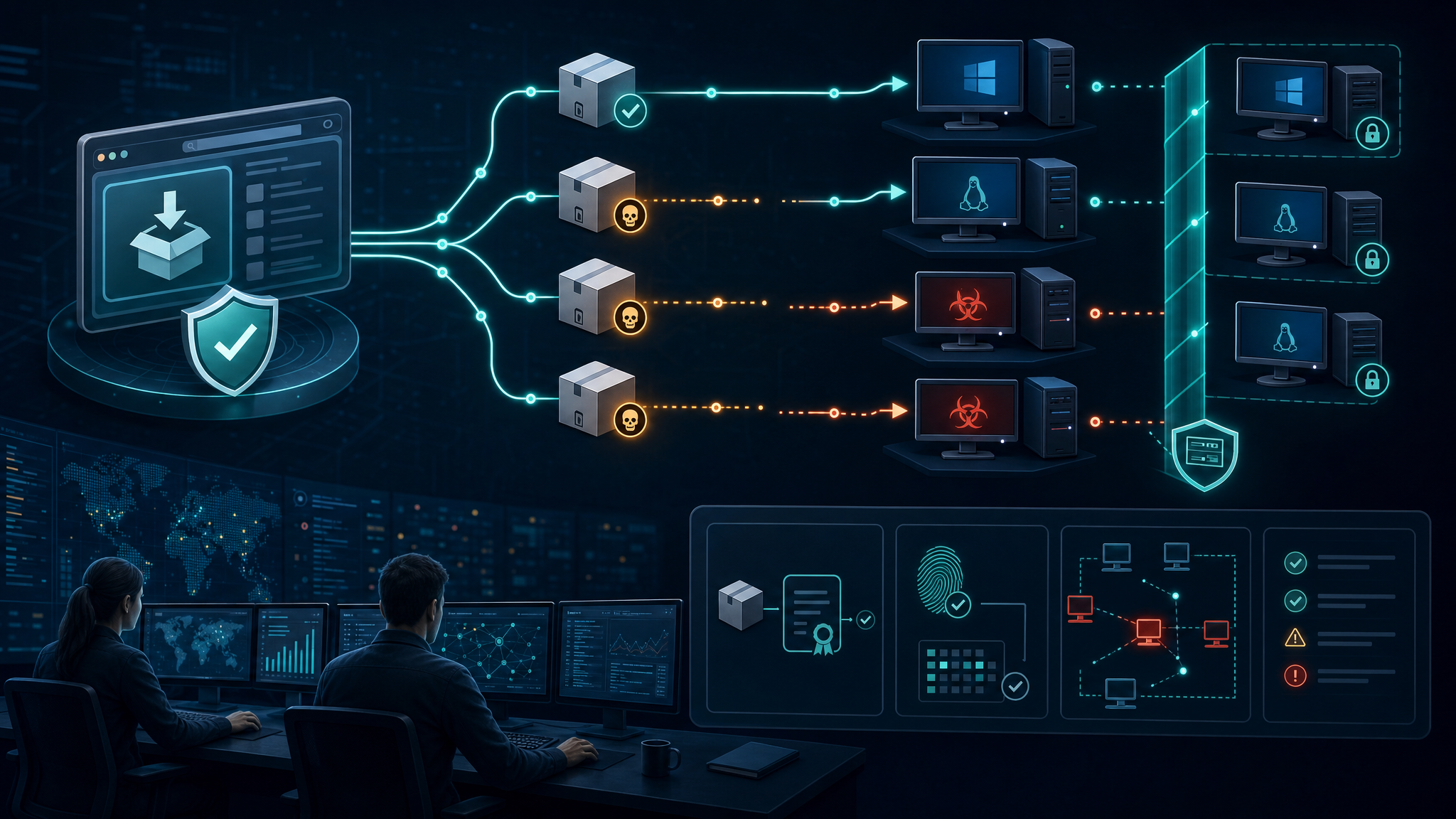
The JDownloader incident is a clean reminder that “official website” does not always mean “safe binary.” According to BleepingComputer and JDownloader’s own incident notice, attackers compromised parts of the JDownloader website in early May 2026 and swapped selected download links so users could receive malicious third-party installers instead of the legitimate software.
The reported exposure window was primarily May 6 through May 7, 2026 UTC. The highest-risk paths were the Windows Download Alternative Installer links and the Linux shell installer link from jdownloader.org. JDownloader says existing installations, in-app updates, macOS downloads, Flatpak, Winget, Snap packages, and the main JAR package were not affected.
That scope matters. This was not described as a full takeover of the underlying host or a modification of JDownloader’s legitimate installer packages. It was a web content and download-link compromise. For defenders, that distinction is useful because it shows how an attacker can still turn a trusted software site into a malware distribution point without owning the entire build pipeline.
What happened
JDownloader’s public incident report states that attackers used an unpatched website vulnerability to change CMS-managed pages and links without authentication. Those links redirected users away from legitimate installer locations and toward malicious substitutes. Once the team confirmed the problem, the site was taken offline, malicious links were removed, legitimate destinations were restored, and the website was brought back after additional verification.
BleepingComputer reports that the Windows payload behaved as a loader for a heavily obfuscated Python-based remote access trojan. The Linux shell installer reportedly contained injected commands that retrieved a disguised payload, dropped ELF binaries, installed a SUID-root binary, created persistence, and launched malware masquerading as a system process.
In plain English: users who downloaded and ran the affected installers may have given an attacker code execution on their workstation or Linux host. JDownloader’s guidance is appropriately conservative: if a malicious installer was executed, treat the system as potentially compromised, rebuild where practical, and reset credentials after cleanup.
Why this matters for SMBs and government contractors
Small businesses and contractors often rely on trusted utilities, administrative tools, file transfer helpers, and open-source packages to get work done quickly. That creates a broad trust surface. A download link compromise is especially dangerous because it abuses a normal behavior: going to the official site, downloading the expected tool, and clicking through installation prompts.
For government contractors, the operational risk is bigger than one infected laptop. A single compromised endpoint can expose browser sessions, cloud credentials, SSH keys, VPN profiles, password manager tokens, source repositories, customer data, or proposal material. If that endpoint also has access to Microsoft 365, Google Workspace, GitHub, AWS, Azure, or client portals, the incident can become an identity and data-protection problem fast.
This is the same pattern defenders have seen repeatedly: attackers target trusted distribution points because it lets them bypass user suspicion. Instead of convincing a user to run a random attachment, they compromise the path to software the user already intended to install.
Defensive takeaways
- Verify publishers before running installers. On Windows, check the Digital Signatures tab before execution. For JDownloader, legitimate installers should be signed by AppWork GmbH. A missing signature or unexpected publisher should stop the install.
- Prefer package managers and signed update channels. Winget, Flatpak, Snap, vendor auto-updaters, and cryptographically verified in-app updates reduce the risk of web-link tampering when properly implemented.
- Do not bypass SmartScreen or Defender warnings casually. Security warnings during installation are often treated as friction. In this case, user reports of Defender alerts were an early indicator that something was wrong.
- Track software download events in EDR where possible. Downloads from unusual domains, unsigned installers, new SUID binaries, suspicious Python execution, and persistence under profile or system directories are all worth alerting on.
- Rebuild high-risk systems after confirmed execution. If a user ran a malicious installer that could execute arbitrary code, endpoint cleanup alone may not be enough. Prioritize credential rotation and fresh install for privileged or sensitive systems.
- Maintain an approved software path. A simple internal page listing approved sources, expected publishers, and preferred install commands can prevent users from choosing risky alternate installers under time pressure.
Bulwark Black assessment
This incident should be treated as a practical supply-chain warning, not just a one-off website hack. The attacker did not need to compromise every part of the vendor’s infrastructure to create real endpoint risk. Changing the link was enough.
The best defense is layered verification: trusted source, signed binary, known publisher, endpoint telemetry, and quick incident response when something looks off. For smaller teams, the immediate win is simple: document where approved tools come from, stop accepting unsigned installers as normal, and teach users that “official site” is not the final trust check.
Original reporting: BleepingComputer — JDownloader site hacked to replace installers with Python RAT malware. Vendor notice: JDownloader website installer incident, May 2026.