Mustang Panda’s latest PlugX tradecraft is a useful reminder that “old” Windows execution paths are still part of modern espionage operations. Reporting from GBHackers, citing Blue Cyber research, describes a fake browser updater campaign that uses a Windows shortcut file, hidden PowerShell, staged payload retrieval, DLL sideloading, and encrypted PlugX components to establish remote access.
For small businesses, managed service providers, and government contractors, the lesson is straightforward: endpoint hardening cannot stop at blocking obvious malware binaries. The risk sits across the whole chain — phishing delivery, script execution, user-writable directories, signed-but-abused executables, persistence keys, and suspicious outbound HTTPS traffic.
What was reported
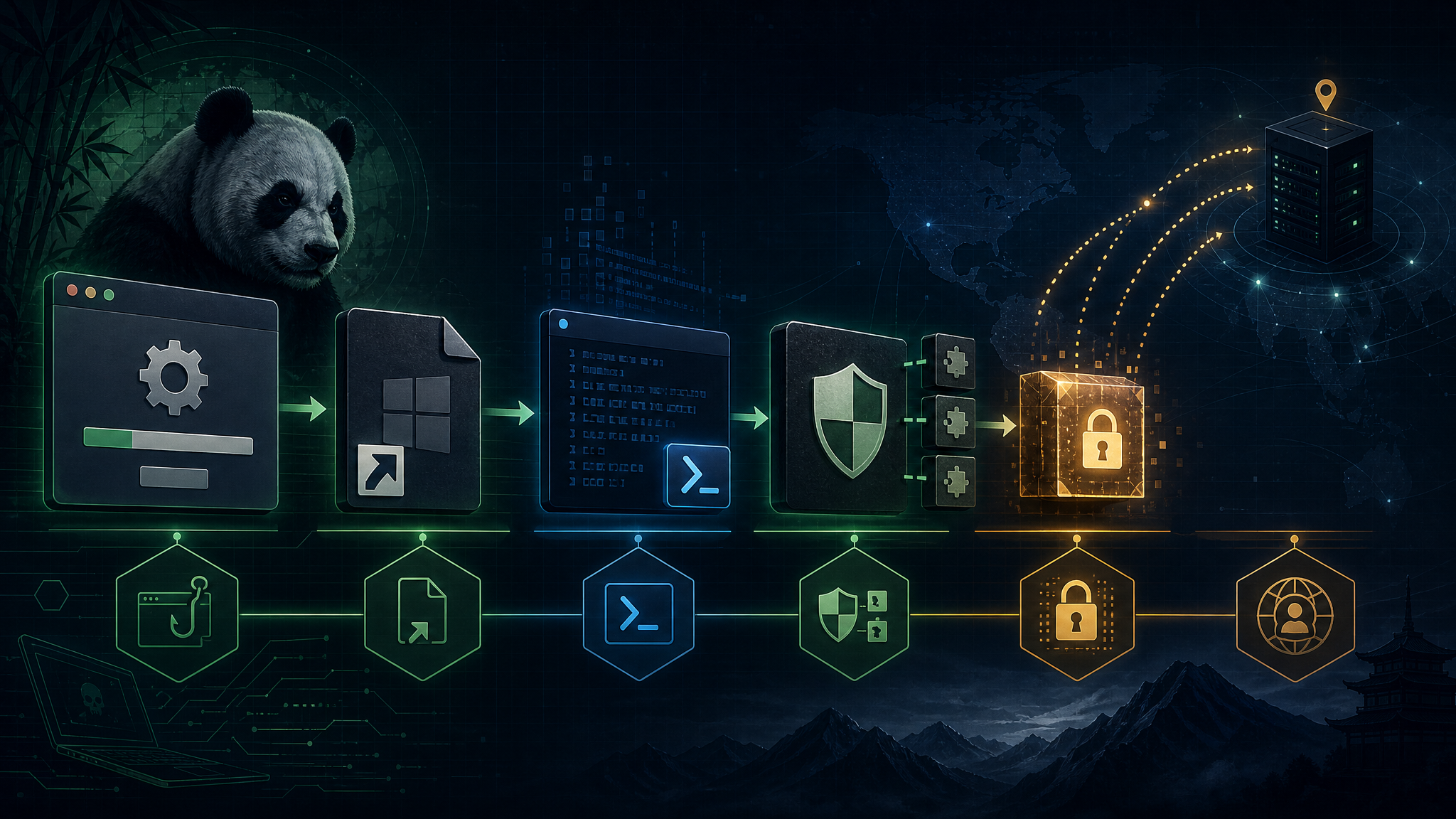
The observed chain starts with a weaponized LNK shortcut that launches PowerShell in a hidden window and stages files into a user-writable location. The lure presents itself as a browser updater, giving the victim a familiar-looking reason to continue execution.
After the fake updater runs, the malware retrieves an additional payload and drops a three-file PlugX-style set: a legitimate signed executable, a malicious companion DLL, and an encrypted data file containing the next stage. The legitimate executable is used as the trusted-looking host process, while the malicious DLL takes over execution through DLL sideloading.
The later stages use runtime API resolution, encrypted configuration data, and a manually mapped PlugX payload. Persistence is established under the current user context, and command-and-control traffic is designed to blend into normal HTTPS activity.
Why this matters
This is exactly the kind of intrusion pattern that can slip past organizations that only think in terms of “did antivirus catch the malware?” The campaign combines multiple low-noise behaviors that each look explainable in isolation:
- A user opens a shortcut file from a lure package.
- PowerShell runs from the user context.
- Payloads land in profile or public directories instead of obviously privileged paths.
- A legitimate signed executable launches from an unusual location.
- A DLL with a trusted-looking name loads beside that executable.
- Outbound HTTPS beacons use browser-like network behavior.
That is a detection engineering problem, not just a malware signature problem.
Defensive takeaways
- Hunt LNK-to-PowerShell execution. Alert when shortcut files launch PowerShell, cmd, mshta, rundll32, regsvr32, or script interpreters — especially from downloads, archives, temp paths, or email attachment extraction folders.
- Constrain PowerShell. Enable script block logging, module logging, AMSI integration, and Constrained Language Mode where appropriate. Treat hidden-window PowerShell as suspicious by default.
- Watch signed binaries running from strange paths. A signed executable in
%LOCALAPPDATA%,%PUBLIC%, or a newly created vendor-looking folder is not automatically trustworthy. - Detect DLL sideloading patterns. Monitor for legitimate executables loading unsigned or newly created DLLs from the same directory, especially when the executable does not normally run from that path.
- Audit user-run persistence. Review
HKCU\Software\Microsoft\Windows\CurrentVersion\Runentries, startup folders, scheduled tasks, and user-profile services for vendor names that do not match installed software. - Baseline egress. PlugX-style implants often depend on outbound HTTPS. DNS age, rare domains, user-agent anomalies, and new beaconing from odd parent processes are high-value signals.
Bulwark Black assessment
Mustang Panda’s use of PlugX is not new, but the continued refinement of the loader chain matters. The fake updater theme gives the user a plausible story. DLL sideloading gives the malware a cleaner process narrative. Encryption and runtime resolution slow down static analysis. None of those techniques are exotic by themselves, but together they raise the cost of detection for defenders who do not correlate behavior across stages.
For SMBs and government-adjacent organizations, the practical move is to build detections around the behavior chain: shortcut execution, hidden PowerShell, suspicious staging directories, signed binaries outside normal install paths, companion DLL loads, Run-key persistence, and new HTTPS beacons. If your tooling can stitch those events together, this kind of campaign becomes much less invisible.
Original source: GBHackers — Mustang Panda Uses LNK, PowerShell Chain to Deploy PlugX RAT. GBHackers cites a detailed technical analysis from Blue Cyber.