
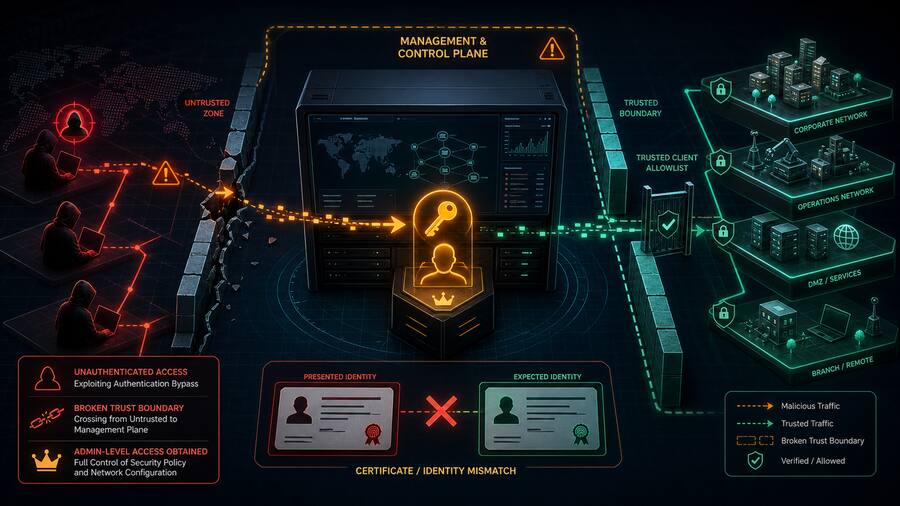













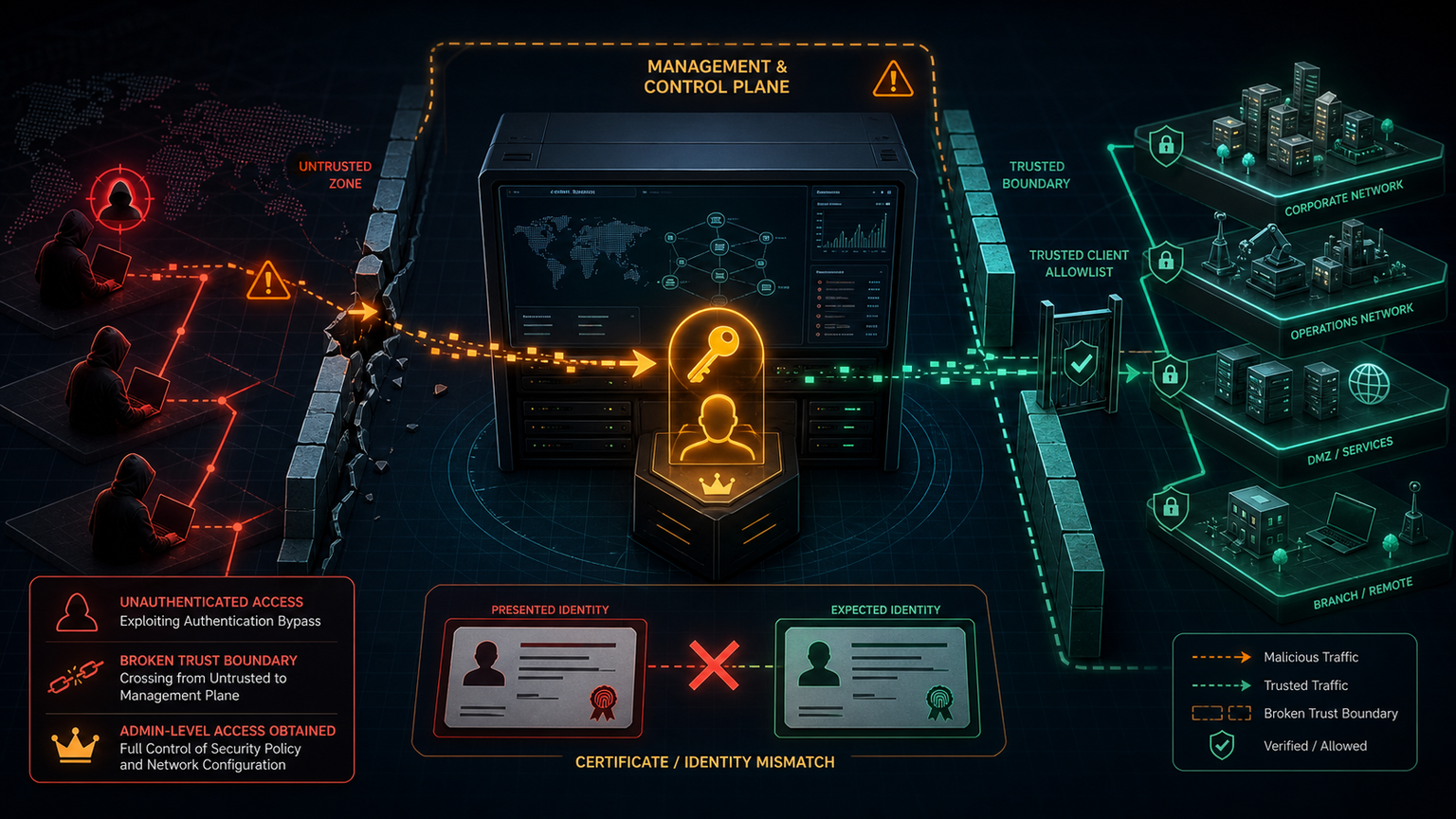
Check Point management servers sit in a dangerous part of the network: they are not just another admin interface, they are the control plane for firewall policy and security configuration. That is why the recent SmartConsole authentication bypass deserves more than routine patching.
Rapid7’s technical analysis of CVE-2026-16232 describes a flaw in the SmartConsole login path affecting Check Point Security Management Server and Multi-Domain Security Management Server. Check Point’s advisory says an unauthenticated attacker can obtain an application login token, use it to sign in through SmartConsole with full administrator privileges, and apply changes to security policy or configuration when management access is exposed and Trusted Clients are not restricted.
That combination should get attention from SMBs, MSPs, and government contractors. A compromised management server can become a quiet way to change firewall policy, weaken access controls, create new administrative paths, or prepare the environment for follow-on intrusion. This is not simply an “update the GUI client” problem. It is a management-plane exposure problem.
What defenders should take from the reporting
- Network reachability matters. Successful remote exploitation depends on access to the management server. If SmartConsole management paths are broadly reachable, the blast radius is already too large.
- Trusted Clients should not be “Any.” Check Point specifically recommends limiting GUI clients to trusted IP addresses or subnets. Treat that as a compensating control, not a convenience setting.
- Patch status is only the first question. Because the vulnerability was reported as exploited in the wild, exposed systems should be reviewed for suspicious authentication events and unauthorized policy changes.
- Control-plane logs need retention. Audit logs, management login records, configuration-change history, and firewall policy revisions become incident-response evidence.
- Admin workstations are part of the boundary. If only trusted jump hosts can reach management services, those hosts need MFA, endpoint monitoring, hardening, and limited browsing/email exposure.
Practical response checklist
- Confirm whether Security Management Server or MDS versions in the environment are affected, then apply the vendor hotfix or upgrade guidance.
- Restrict SmartConsole / GUI client access to known administrative subnets or jump hosts. Remove broad “Any” Trusted Client configurations.
- Block internet access to management services unless there is a documented, monitored, and temporary operational need.
- Review SmartConsole audit logs for application-token authentication, unexpected administrator sessions, unknown source IPs, and unusual policy/configuration changes.
- Compare current firewall policy against a known-good baseline. Pay attention to newly permitted management access, remote-access changes, NAT changes, and logging changes.
- Rotate credentials and review administrator accounts if exposure or suspicious activity is found.
- Document management-plane access as a critical asset in the vulnerability-management program, not as a generic server.
Bulwark Black assessment
This is the kind of vulnerability that punishes flat administration networks. The exploit path described by Rapid7 depends on a broken authentication boundary, but the operational risk depends on whether attackers can reach the management server in the first place. For smaller teams, the best defense is boring and effective: management interfaces behind VPN or jump hosts, strict trusted-client lists, short patch windows for control-plane systems, and change monitoring that can prove whether policy was altered.
If your firewall management server is reachable from places it does not need to be reachable from, fix that before the next advisory forces the issue.
Original sources: Rapid7 technical analysis of CVE-2026-16232; Check Point advisory sk185169.